TL;DR
Managing connected devices creates a lot of repetitive work. A device starts sending data, stops sending data, crosses a limit or appears in an unexpected country. Someone has to notice and respond before the event creates a larger problem or an unnecessary cost.
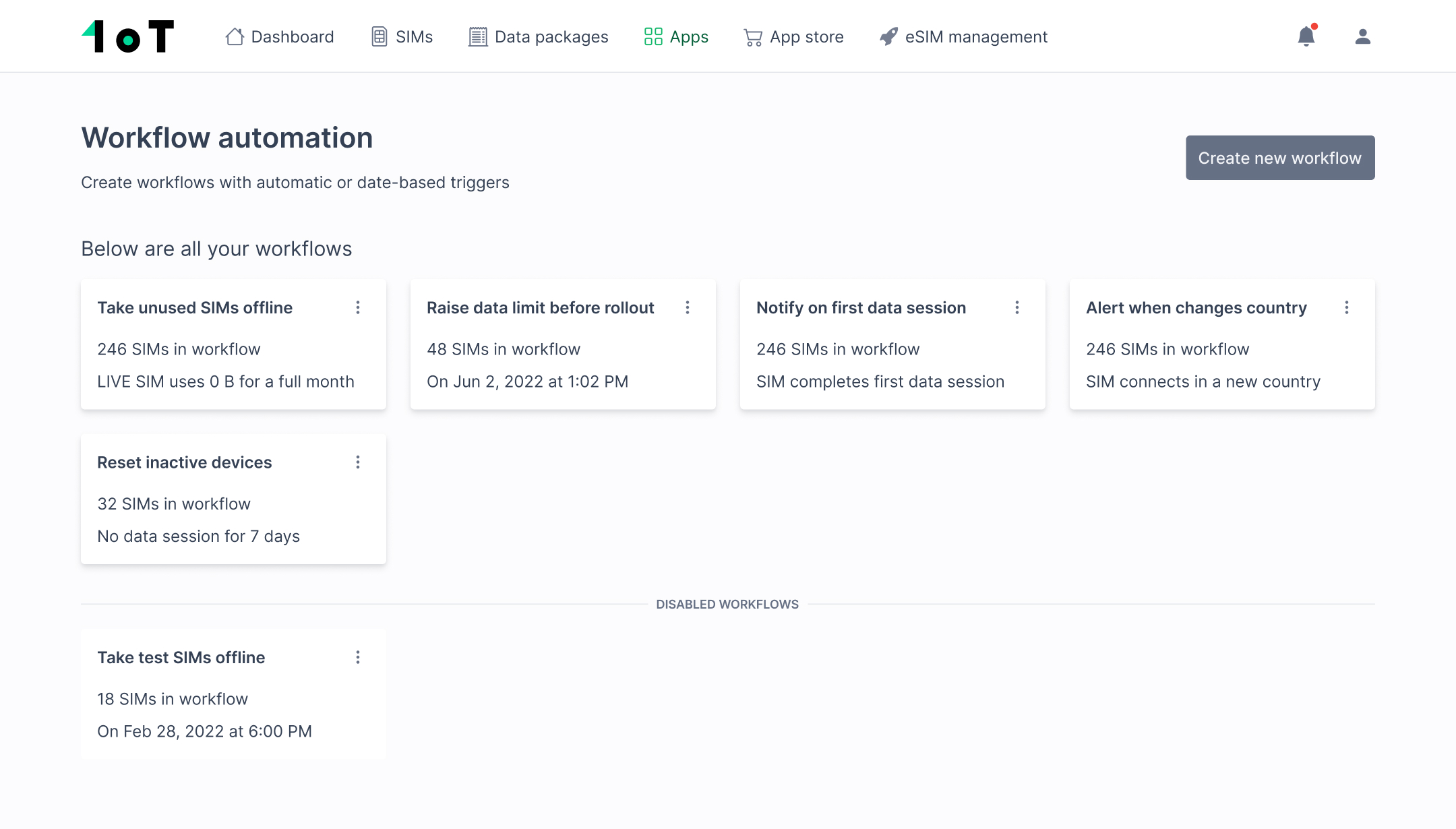
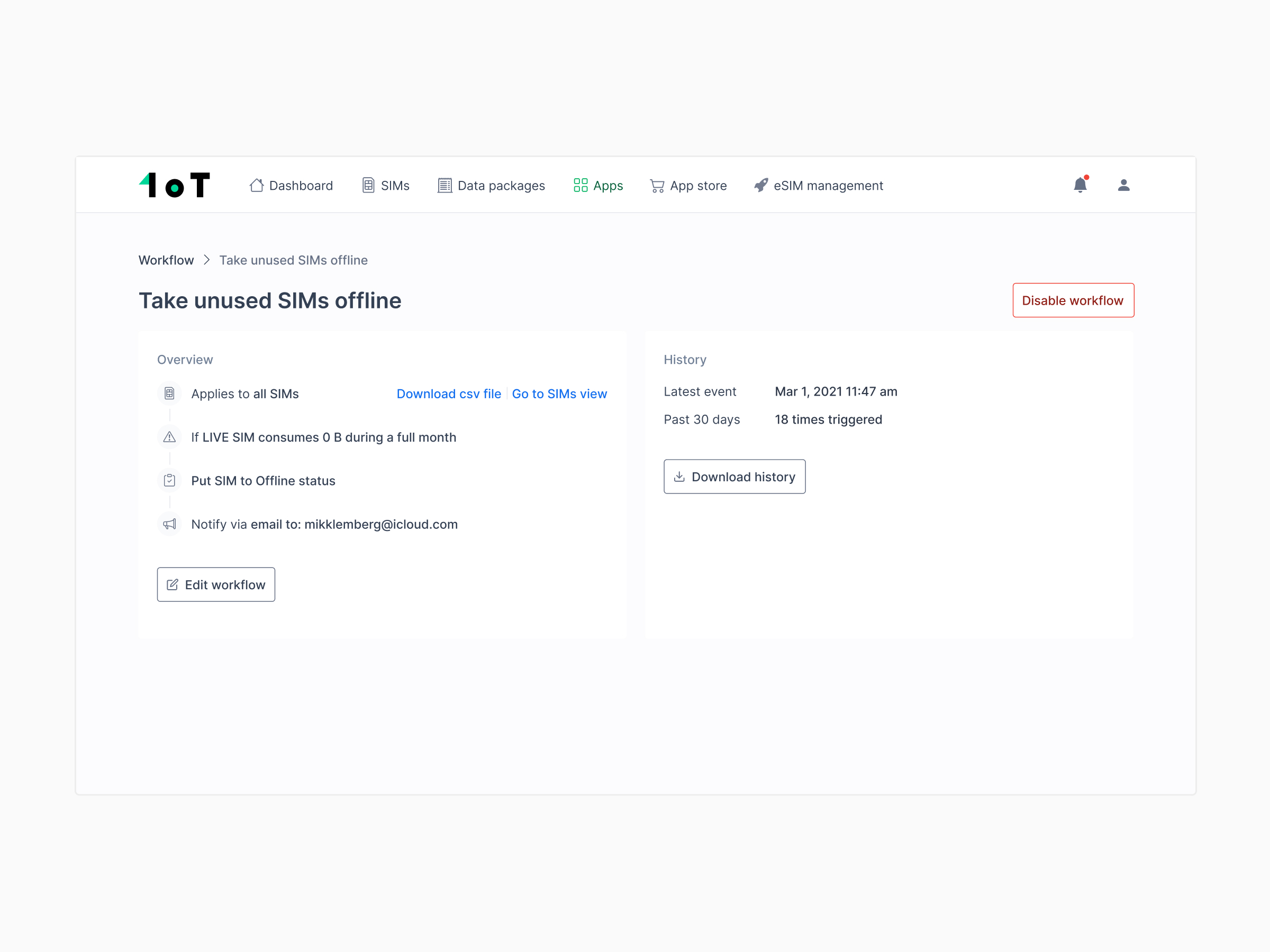
1oT Terminal packaged advanced functionality as optional apps on top of the core connectivity service. We had built three overlapping ways to handle automation: Notifications, Future Events and Workflow Automation. Customers could subscribe to each app separately, but hesitated to pay for both Future Events and Workflow Automation.
As product designer and product lead, I framed the consolidation, designed the shared rule model and worked with the 1oT Terminal engineering team through delivery.
During 2022, the number of configured workflows grew by 23%.
Three useful features had started to overlap
Notifications was already one of 1oT Terminal’s prominent features when I joined. Customers could define rules that alerted them when a SIM or connected device behaved unexpectedly.
We later introduced Future Events. It let customers schedule SIM actions for a specific date and time. It was not an immediate success, but a smaller group of customers relied on it. The feature was useful, just too narrow on its own.
Workflow Automation took the next step. Instead of only telling someone that something had happened, it could respond automatically. A trigger based on SIM behaviour could send a notification, change a data package or take a SIM offline.
The features made sense individually. Together, the boundaries were harder to explain. Why was a scheduled action in a separate app from an automatic action? Why should a customer subscribe to both?
A concrete example: stop paying for unused SIMs
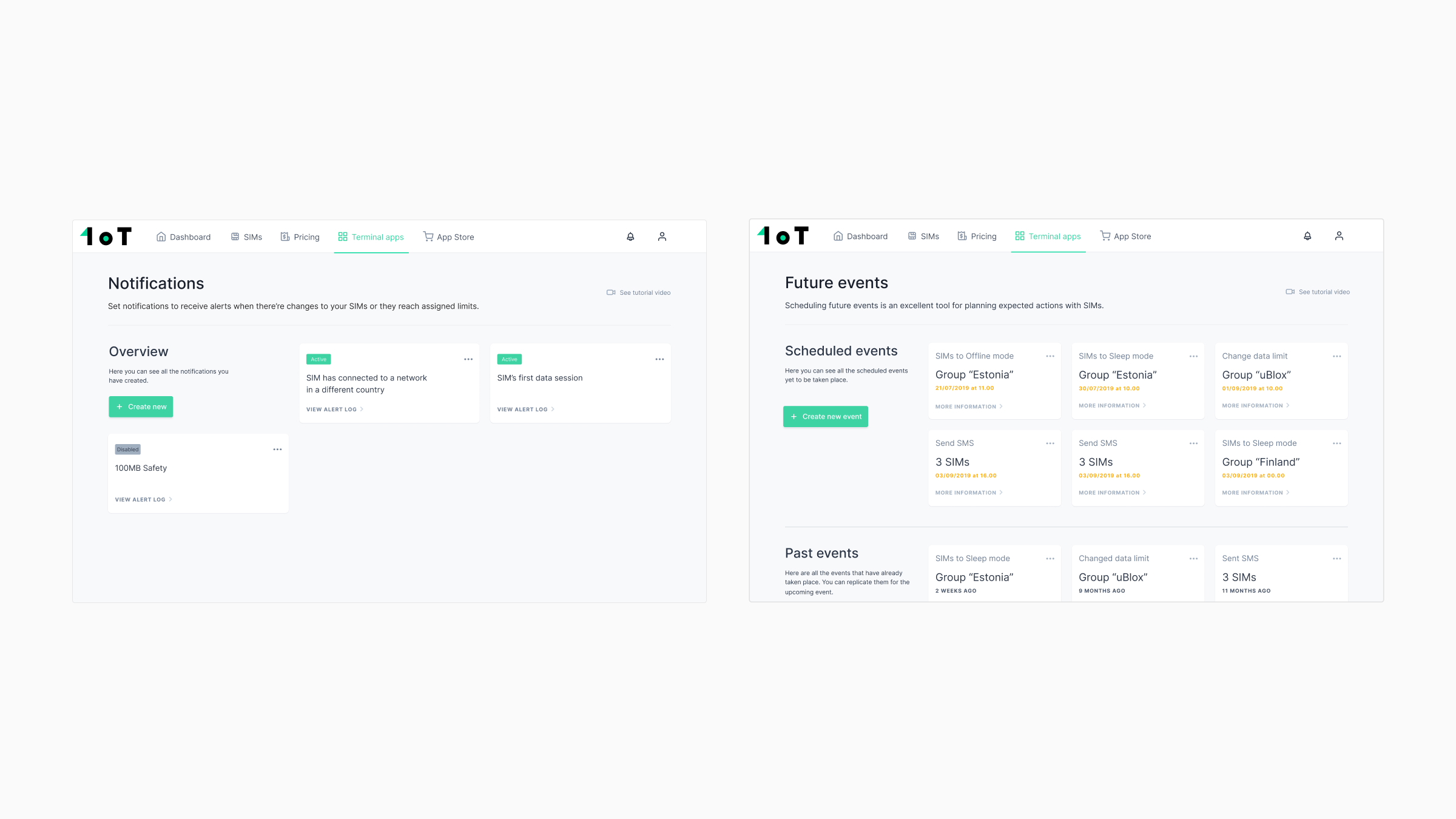
A SIM could remain in LIVE status for an entire month without consuming any data. The customer would keep paying for connectivity even though the device was not being used.
Checking every SIM manually was unrealistic for a large deployment. Workflow Automation reduced the task to one rule:
- When a LIVE SIM consumes 0 bytes during a full month,
- change its status to OFFLINE,
- notify the customer and show which SIM was affected.
The automatic action stopped the recurring cost. The notification kept the customer aware of what happened and where to investigate. The device might be broken, returned to a warehouse or simply unused for a good reason. Automation could save money without pretending that every inactive device meant the same thing.
One rule model instead of separate apps
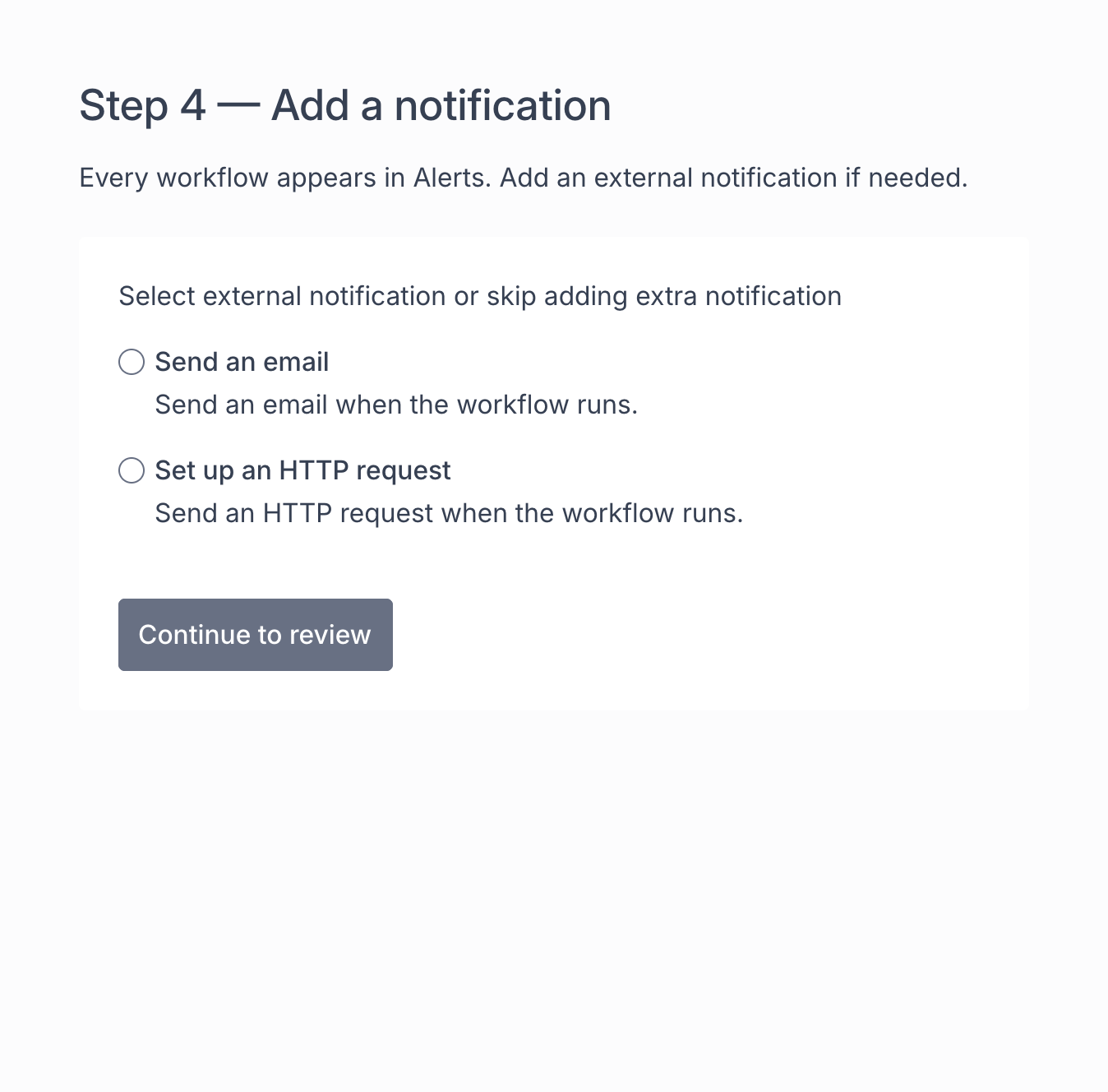
We brought alerts from Notifications and date-based actions from Future Events into Workflow Automation. Every workflow followed the same structure: when this happens, send a notification, take an action or do both.
Customers did not have to automate the response. They could use a workflow only to keep an eye on their SIMs, then add an automatic action when it made sense.
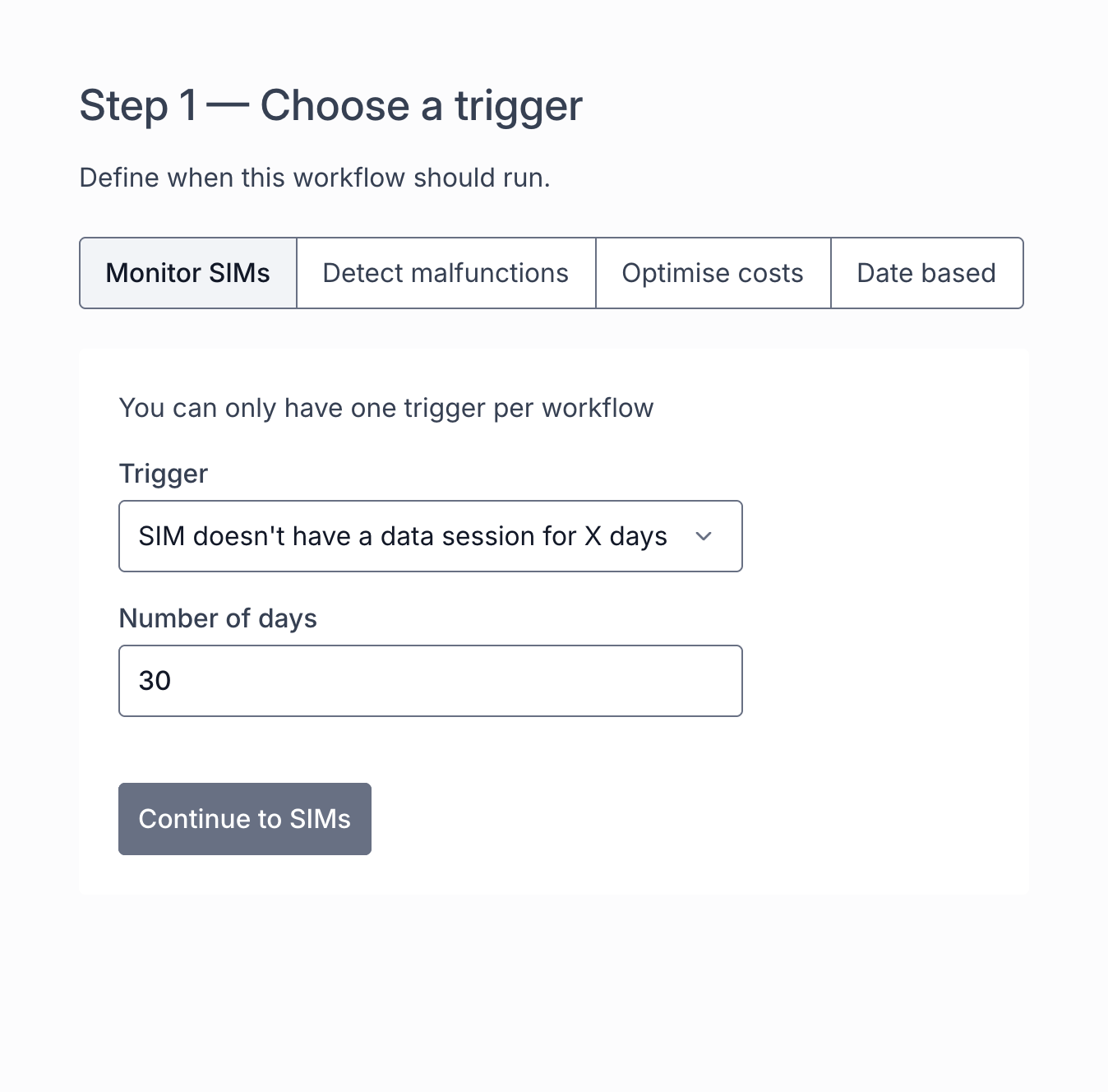
The unified app supported four broad types of triggers:
- SIM behaviour, such as data consumption or inactivity.
- Device malfunctions and unusual usage.
- Date-based and recurring events.
- Cost-optimisation rules, such as consumption thresholds and data limits.
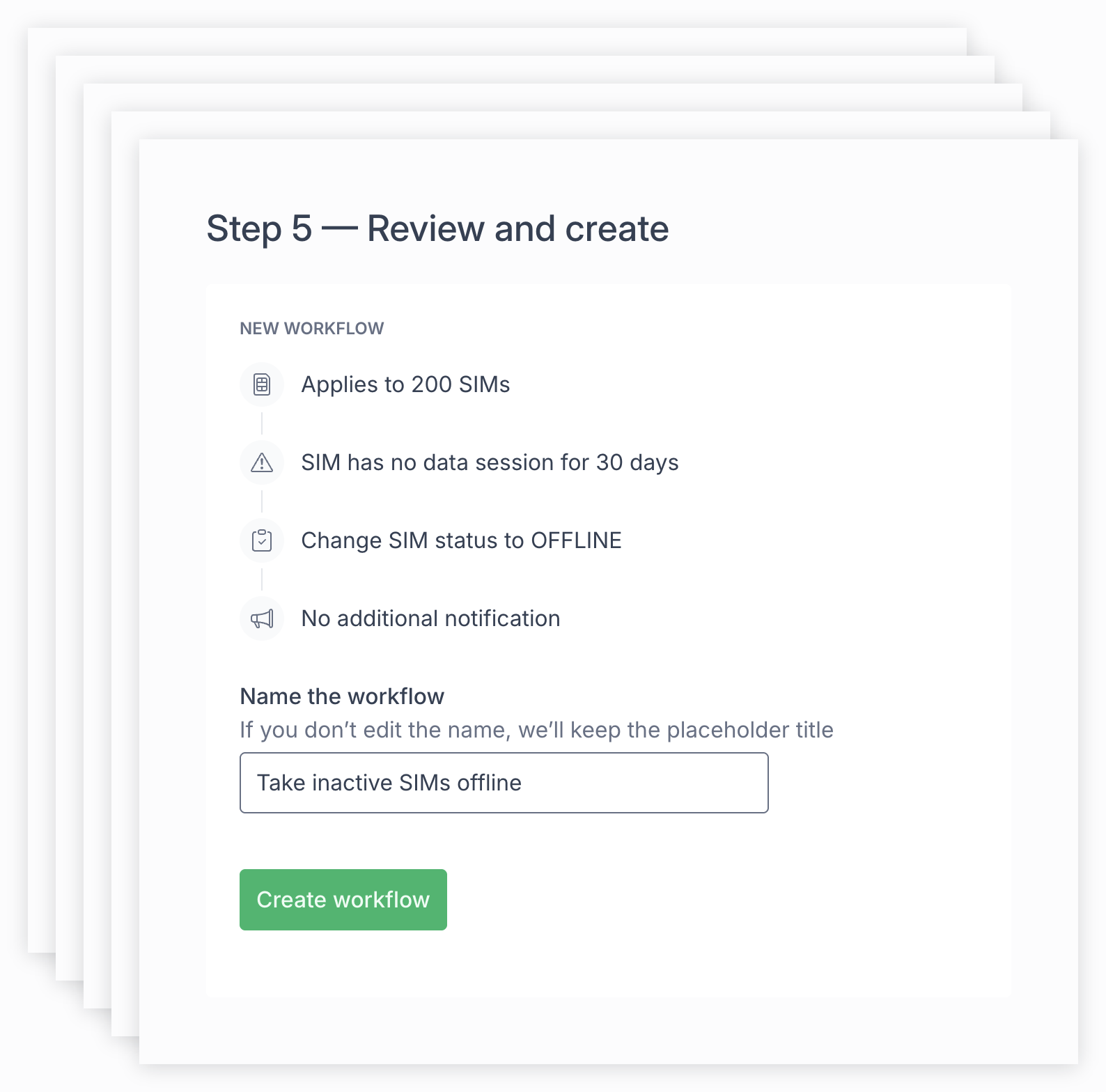
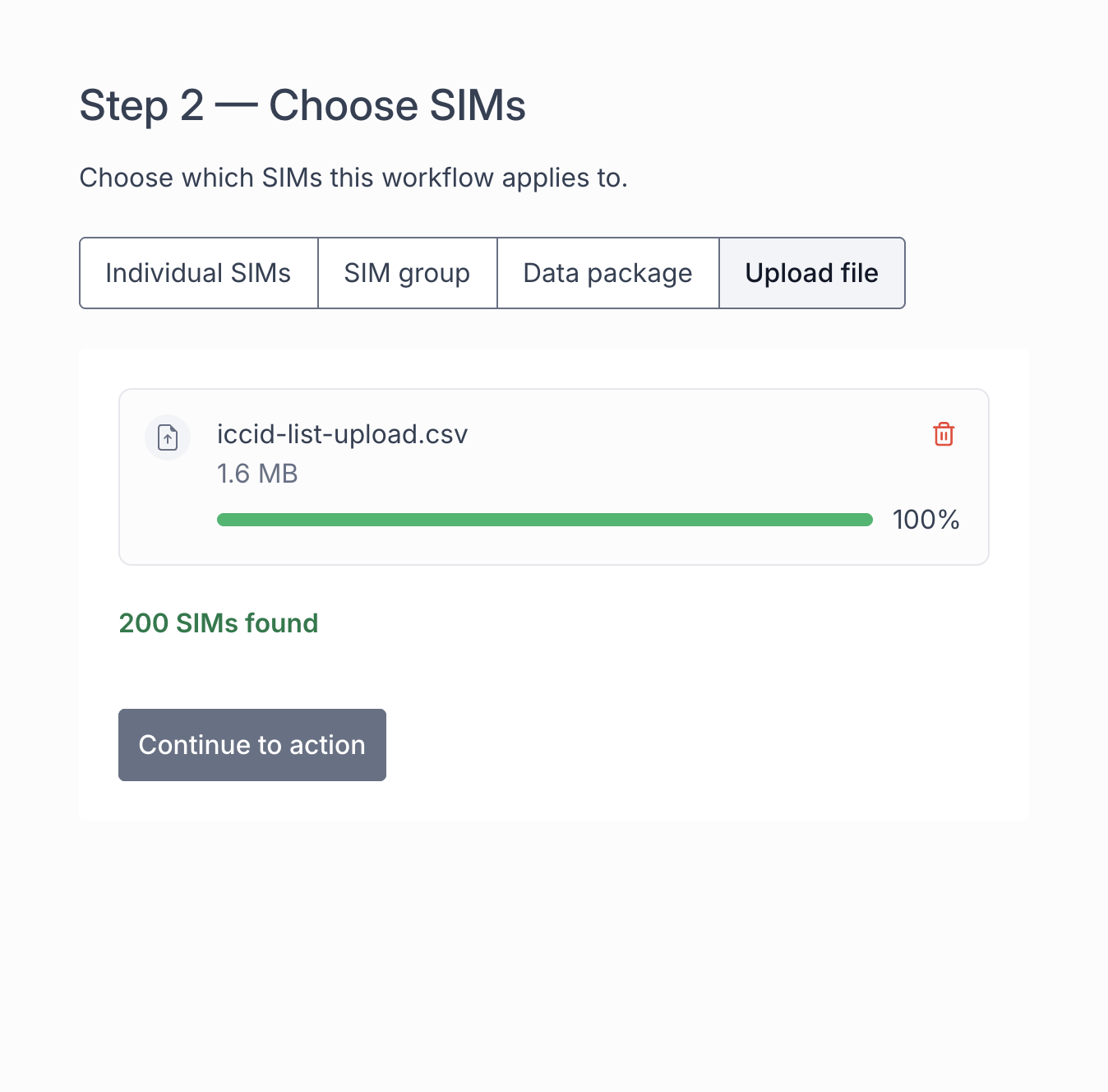
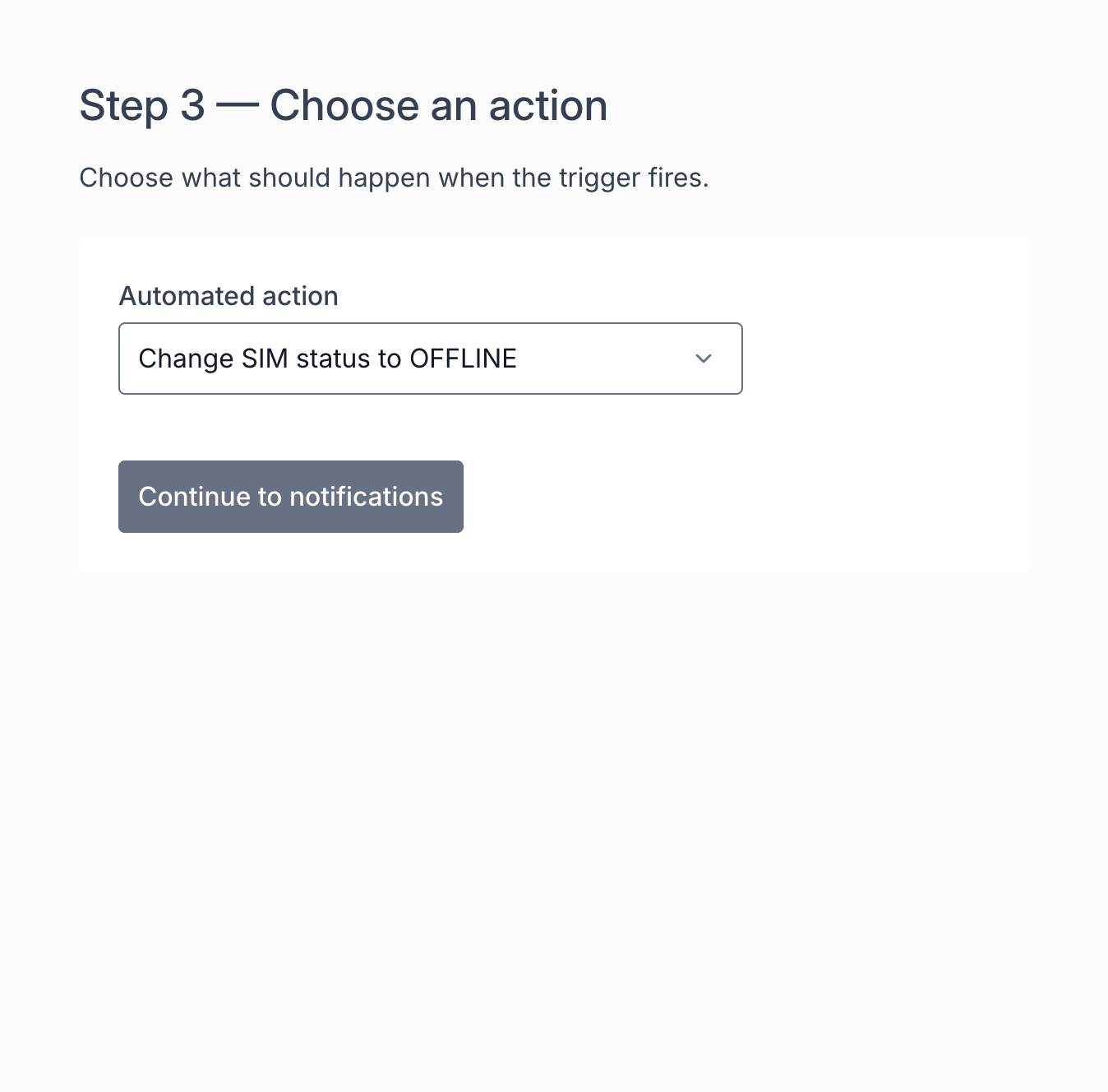
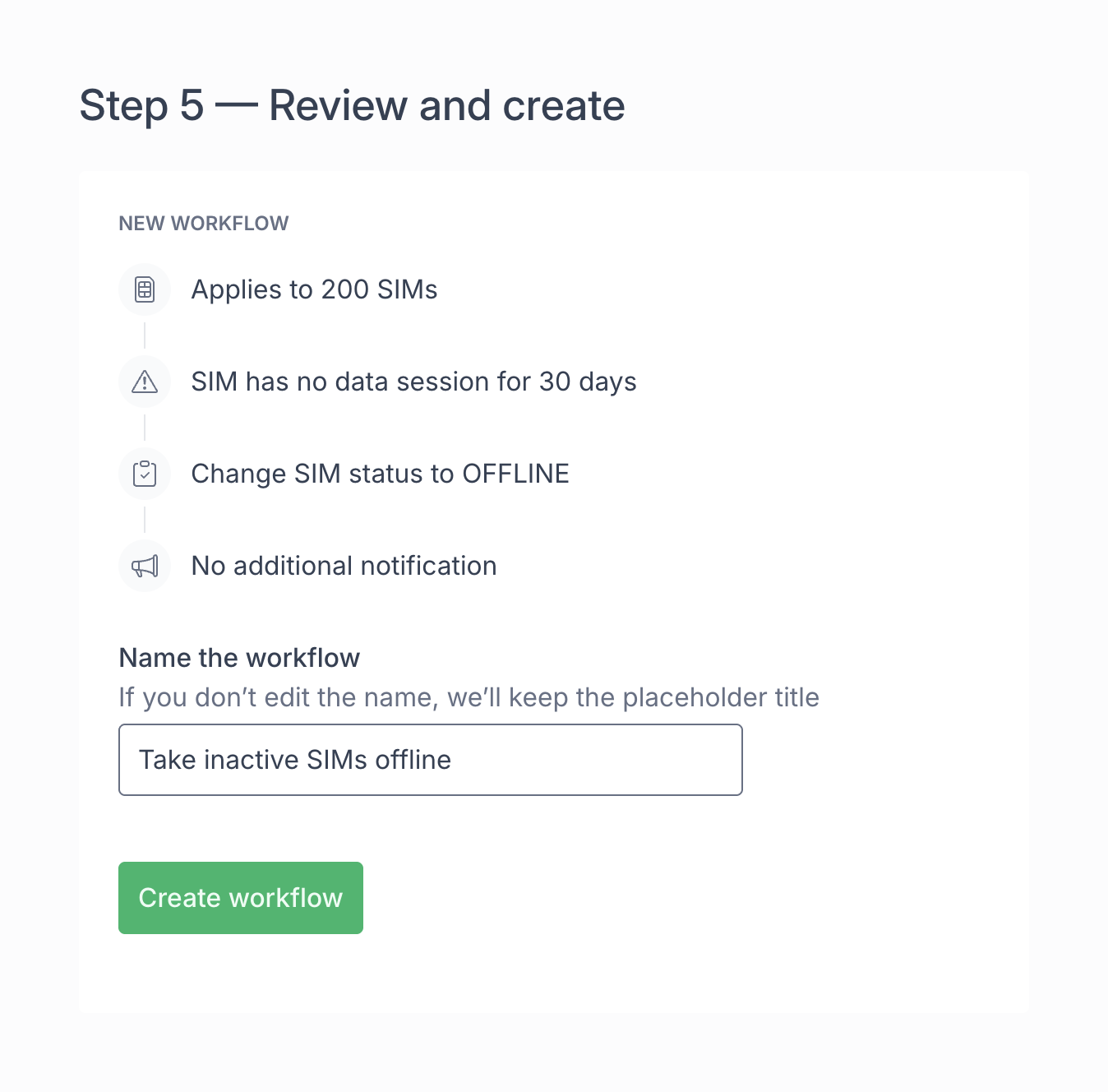
The builder makes that structure concrete: choose a trigger, select the SIMs, define an action, decide whether to add a notification, then review. This example takes 200 selected SIMs offline after 30 days without a data session, without an additional notification.
An activation moment during onboarding
The first-data-session trigger became especially useful during onboarding. Customers usually started by testing network coverage and connectivity. When Terminal showed that a SIM had connected and sent a notification, they saw two things at once: the connectivity worked, and Terminal could monitor their fleet. The sales team used that moment to explain what else Terminal could do.
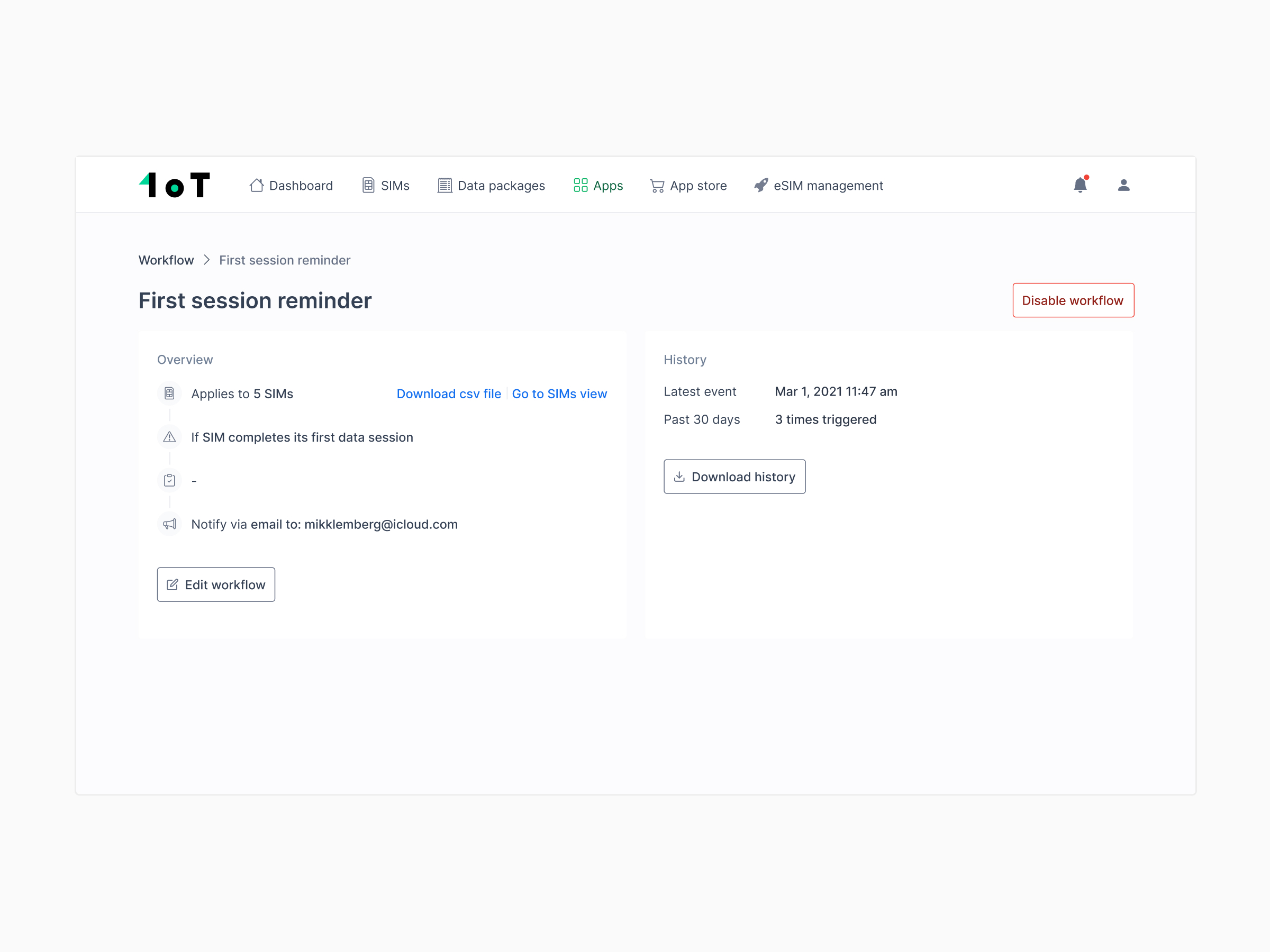
Together, this gave customers one place to monitor their fleet, schedule future work and automate a response when it was useful.
The model evolved with safeguards
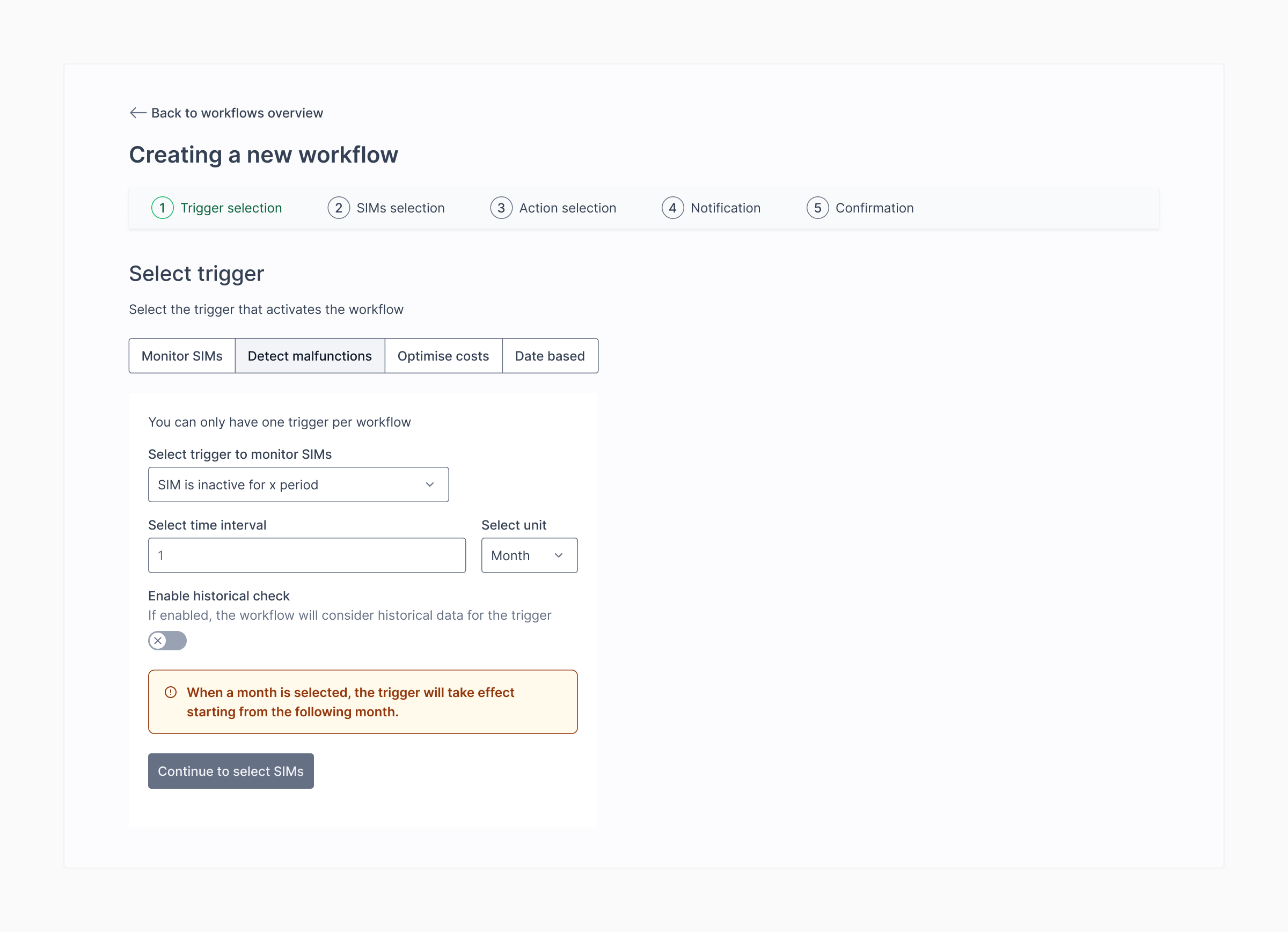
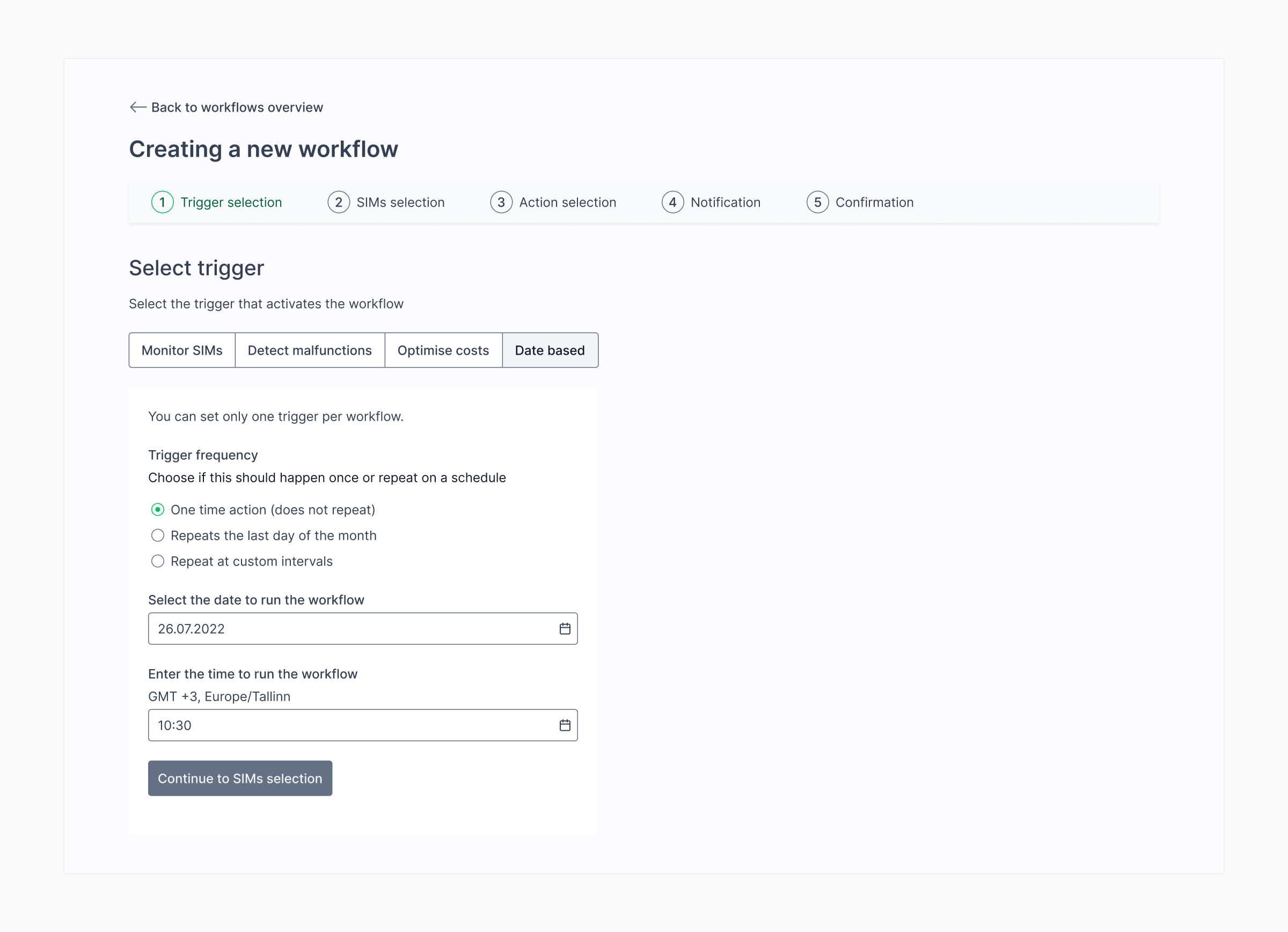
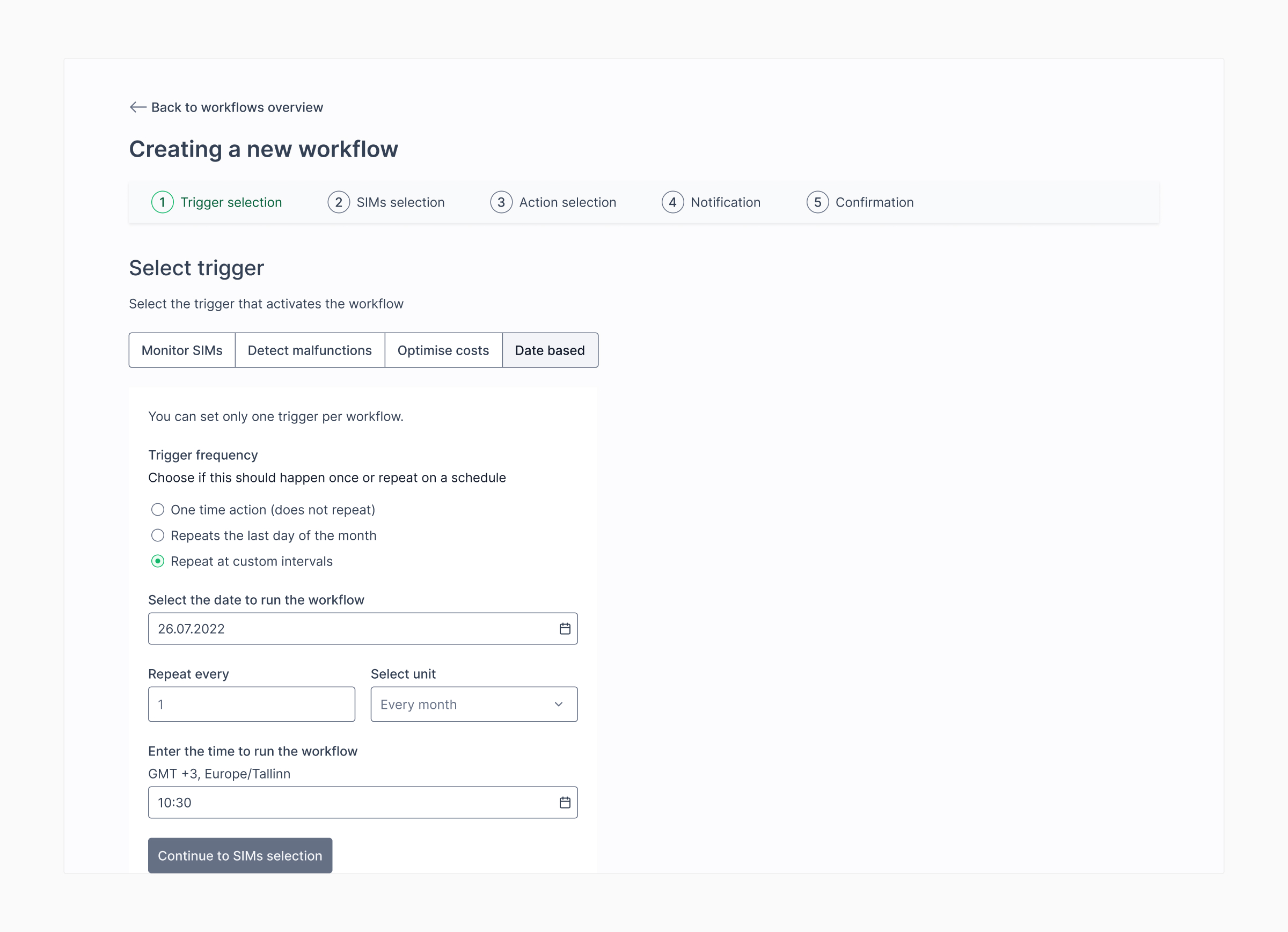
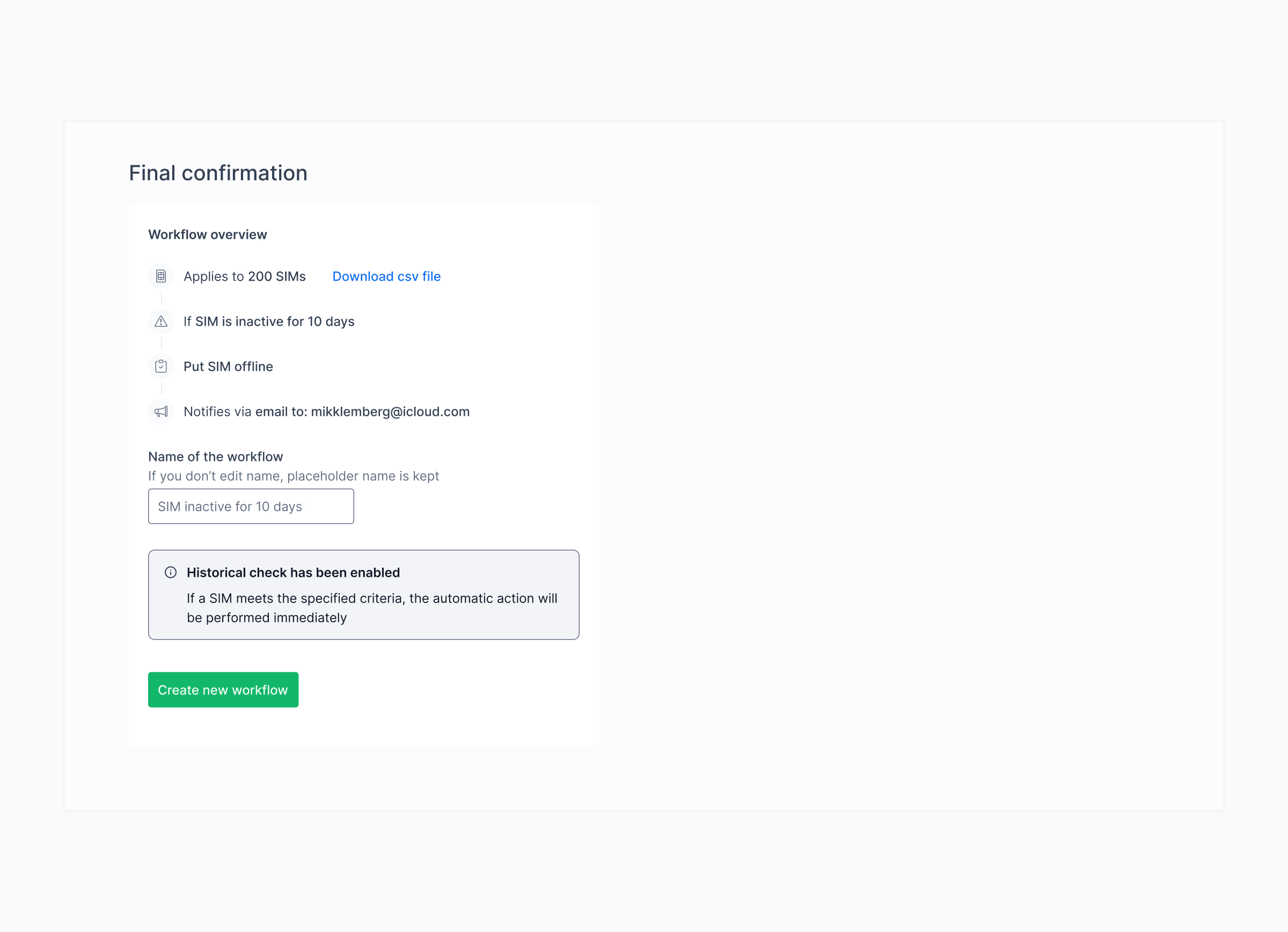
Consolidating the apps established the shared structure, but the model still had to accommodate more complex timing and consumption rules. We clarified when monthly triggers took effect, brought one-time and recurring schedules into the same builder, and added confirmation states for actions that could affect existing SIMs immediately.
As the rules became more capable, their consequences became more serious. Two automations could contradict each other. A data package could change at the wrong time. A recurring rule could run more often than its author expected.
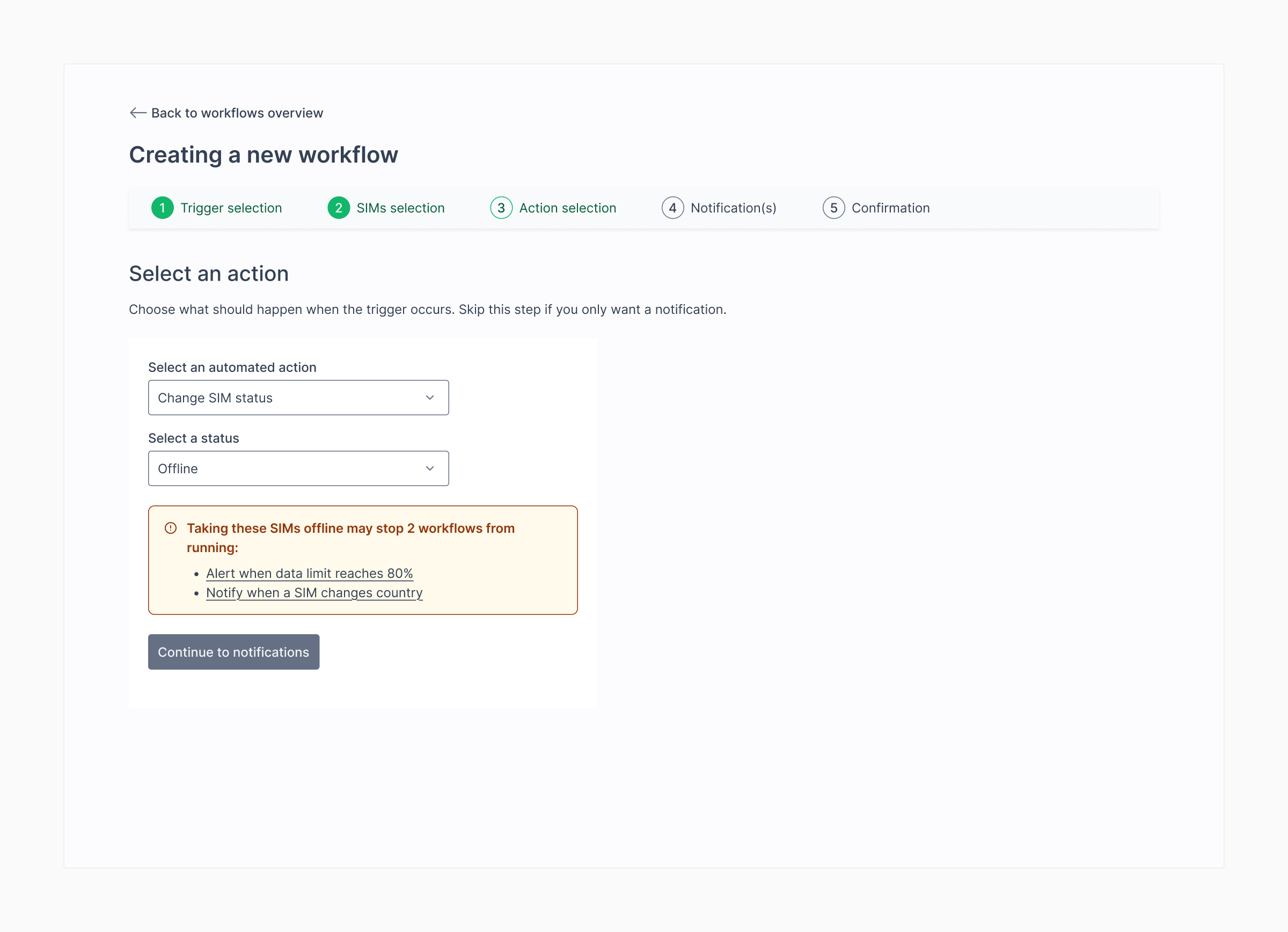
We added automatic conflict detection to warn customers when one workflow could prevent another from working. We also made time periods and consumption units more explicit, including rules based on a SIM’s full lifetime rather than only the current month.
These details mattered as much as the trigger-and-action interface. Customers needed to understand what a rule covered and trust that it would act at the right time.
These screens show where the model became more explicit. The builder explains when a monthly rule starts, separates one-time and recurring schedules, warns about conflicting workflows, and confirms when historical data could trigger an action immediately.
What changed
The consolidation replaced three overlapping feature concepts with one subscription and one mental model. Customers could start with a simple notification and later automate the response without moving to a different app.
The app became one of 1oT Terminal’s most popular value-added features. Customers used workflows to group SIMs when devices went live, control connectivity costs, spot device malfunctions and prevent misuse.
What I learned
Customers should not have to understand our product history to choose the right tool. Consolidating the three features forced us to define the shared model underneath: an event, a response and enough feedback to trust what happened.